WaySense
- 4.2
- Rating
- 10.00K
- Installs
- Free
- Price

 Analysis by App-foxy
Helping a teenager become a safer driver is difficult because the most important lessons often happen when a parent is not in the passenger seat. WaySense approaches that problem through one focused idea: it combines driving video evidence with real-time alerts so I can understand what happened on the road and respond when something needs attention. That makes it more than a simple trip log, but it also means the app works best when both parent and teen agree on how it should be used.
I see it as a parenting app for the transition between supervised practice and genuine independence. Instead of relying only on a teenager’s description of a drive, I can use the information WaySense captures to coach a specific moment. The difference matters. “Be more careful” is vague; discussing a particular situation is much easier to act on. At the same time, this is not a replacement for teaching, calm conversations, or sensible family rules. Its value comes from turning driving events into useful conversations rather than turning every trip into an argument.
Video evidence is the feature that changes the conversation
The central capability is video evidence for teen driving. In practical terms, that gives a parent something more concrete than memory after a stressful trip. If a concern arises, visual context can help separate a genuine mistake from a misunderstanding. That is especially useful with new drivers, who may not yet recognize which parts of a journey deserve attention.
You May Also Like

 Blood Strike: 2.5 Anniversary
Blood Strike’s Loadouts Turn Every Drop Into a Tactical Gamble
A close look at Blood Strike’s custom loadouts: how fast access to signature weapons reshapes its battle royale rhythm, rewards preparation, and narrows the gap between fights.

 Pandora - Music & Podcasts
Pandora’s Music Is Easy to Start, but Harder to Recover
Pandora’s strength is its low-effort path from a seed to a station. Its weak spot is how much confidence it asks you to place in connection, setup, and quiet recovery.

 8 Ball Pool
 Is Built on Rivalries, Rematches, and Routine
A close look at the rivalries, rematches, shared routines, and unanswered safety questions that turn a quick pool match into a persistent mobile community.

 Samsung Music
’s Quiet Strength Is Playing What You Already Own
Its reach comes less from spectacle than from dependable access to a personal library. That simplicity is both the app’s strongest retention engine and its ceiling.

 AccuWeather: Weather Radar
AccuWeather Review: A Quick, Clear Forecast for Everyday Decisions
For everyday plans, the best forecast is the one you can understand quickly. AccuWeather makes rain timing, radar, and local conditions easy to act on, with a few trade-offs.

 Hill Climb Racing
Why Hill Climb Racing Still Turns Crashes Into One More Run
A tiny car, a bumpy hill and one more upgrade: Hill Climb Racing keeps resurfacing because its simple chaos makes every near-miss feel personal.
More From Our News Desk
View All News


I would not treat the video as a scoreboard. The strongest use is selective coaching. A parent can focus on one moment, explain why it was risky, and ask the teen what they noticed. That approach keeps the technology connected to learning. If every clip becomes proof in a prosecution-style debate, the app may create defensiveness instead of better habits.
The real benefit is therefore not simply that a recording exists. It is that the recording can make feedback more precise. A teen who hears a general warning may forget it quickly, while a discussion tied to a visible situation can be easier to understand and remember. This is one of the less obvious strengths of WaySense: it can help move a family conversation from suspicion to shared observation.
Real-time alerts add a different layer. Video helps after an event or during a review, while an alert is intended to bring attention to a situation as it develops. That can be reassuring for a parent, particularly during early solo drives. It can also be distracting or anxiety-producing if the adult reacts to every notification without context. I would use alerts as prompts to check in, not automatic evidence that a serious incident has occurred.
That distinction is important for expectations. A notification is not the same as a complete explanation, and a recording is not the same as a verdict. Road conditions, traffic, weather, passengers, and unfamiliar routes can all affect what a driving moment looks like. WaySense is most useful when it supports judgment rather than pretending to replace it.
How I would set it up for a new driver
I would begin with a short family agreement before relying on the app. We would discuss when monitoring is active, what kinds of alerts deserve an immediate call, and when the footage will be reviewed. This is not a technical step, but it is essential. A teenager who feels watched without understanding the boundaries may focus on avoiding parental reaction instead of learning to drive responsibly.
The first few drives should be treated as calibration for the family routine. Rather than reviewing every detail, I would choose one or two useful observations from a trip. That keeps the process manageable and makes it clear that the goal is improvement, not constant criticism. Over time, the teen can take more responsibility for reviewing situations and suggesting what they would do differently.
A practical workflow is to check alerts only when it is safe for the parent to do so, then wait until the vehicle is parked before discussing the event. Immediate calls can make sense for a genuinely urgent concern, but a parent should not create a second distraction by trying to manage a drive from a phone. The tool is supposed to improve safety, not encourage remote back-seat driving.
The video capability is also more useful when paired with a specific coaching question. Instead of saying, “Why were you driving like that?”, I would ask, “What did you see before that moment?” or “What other option did you have there?” Questions encourage the teen to build their own awareness. This is a concrete way to get more value from WaySense than simply collecting clips.
Another worthwhile habit is reviewing patterns rather than isolated embarrassment. One awkward maneuver may be a normal learning moment. Repeated difficulty in similar situations, such as busy intersections or unfamiliar roads, points to a topic that deserves supervised practice. WaySense can help identify where a parent should spend time in the car, rather than relying on broad assumptions about a teenager’s ability.
A realistic everyday use case
Imagine a teenager driving home after school while a parent is at work. The route is familiar, but traffic is heavier than usual. An alert arrives, and the parent sees that something happened during the journey. The most useful response is not an immediate stream of messages. The parent waits until the teen is safely parked, asks whether anything unusual occurred, and then uses the available video context to discuss the situation.
Perhaps the teen had to react quickly to changing traffic. The conversation can then focus on scanning farther ahead, leaving more space, or choosing a calmer route next time. If the event was harmless, the footage may prevent an unfair accusation. If it revealed a genuine weakness, the family has a clear subject for the next supervised drive. In both cases, the app has done something practical: it has supplied a starting point for a better conversation.
This scenario also shows why real-time alerts should not become an always-on source of parental panic. The parent still needs to interpret what happened and decide whether action is needed. WaySense can shorten the distance between an event and a useful response, but it does not remove the need for patience.
Where WaySense fits among familiar alternatives
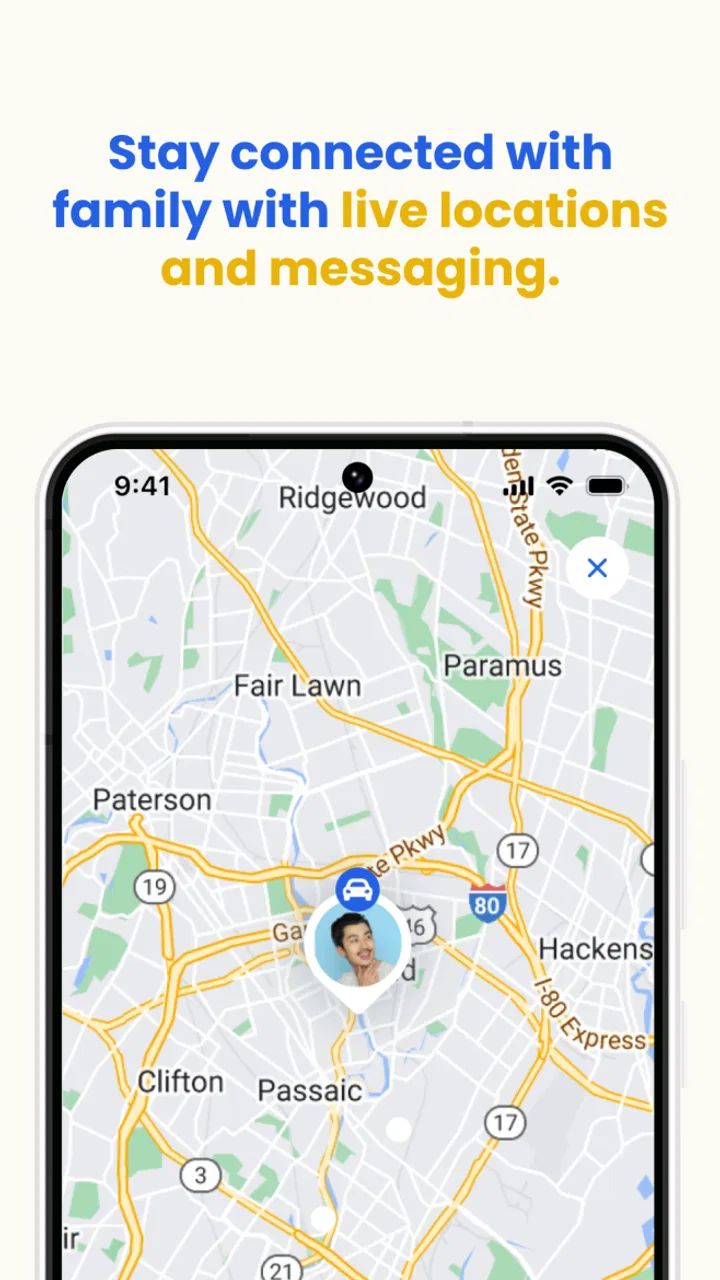
The usual alternatives are a basic phone location tool, a dash camera without a parenting focus, or no technology beyond a verbal check-in. Each option solves a different part of the problem. Location sharing can show where a vehicle is, but it does not necessarily help explain a driving decision. A standalone camera can preserve footage, but it may not offer the same parent-oriented alert experience. A conversation alone protects privacy better, yet it depends heavily on honest recall and the teen’s ability to recognize mistakes.
WaySense sits between those choices by connecting observation, alerts, and coaching. That combination is its reason to exist. I would choose it over simple location sharing when the family wants to discuss driving behavior rather than merely confirm arrival. I would choose a less intrusive option when the teenager already drives confidently and the main concern is knowing whether they reached a destination.
It is also worth separating safety monitoring from convenience monitoring. If a parent mainly wants reassurance that a trip ended normally, a location-focused tool may be simpler. If the purpose is to understand difficult moments and teach better decisions, WaySense’s video-centered approach is more relevant. The trade-off is that a more detailed view asks for more agreement, more attention, and more thoughtful use.
Privacy, trust, and the emotional trade-off
The biggest limitation is not necessarily the technology; it is the relationship around it. Teen drivers are gaining independence, and constant observation can feel like a withdrawal of trust. Parents may feel safer with more information, while teenagers may feel they cannot make an ordinary mistake without it being saved and discussed. Those reactions are predictable, so they should be addressed before the first monitored trip.
I would make the purpose explicit: the app is there to coach developing skills and respond to safety concerns, not to inspect every private moment. Families should decide together how reviews happen and avoid using old footage as ammunition in unrelated disagreements. A clear review routine can reduce friction. For example, a parent might discuss notable events at an agreed time instead of interrupting the teen after every alert.
There is also a risk of overinterpreting visual evidence. A short clip may show what happened immediately around an event without explaining every factor that led to it. If a parent judges too quickly, the app can produce confidence without understanding. My advice is to combine the footage with the teen’s account and the road context. That makes the technology a coaching aid rather than an automatic authority.
Another practical trade-off is attention. Alerts are valuable only when someone can respond appropriately. A parent who is working, driving, or otherwise occupied should not feel obliged to monitor continuously. The family needs a backup plan for urgent situations and a realistic understanding of who is actually available. Otherwise, the presence of alerts may create a false sense that someone is always watching.
What the current app details mean for prospective users
WaySense is free to install, which makes it relatively easy for a family to try the basic experience before deciding whether it belongs in their routine. Optional purchases are listed from $11.99 to $149.99 per item, so I would look carefully at the purchase screen and consider the long-term cost before committing to anything. The wide range means the free starting point should not be confused with unlimited access to every possible capability.
The app comes from FiglioTech and is listed for Everyone, although the real audience is more specific: parents or guardians supporting a young driver. The broad age label does not remove the need for a family conversation about consent, boundaries, and responsible monitoring. Those decisions matter more here than the general content label.
On Android, the listed minimum operating system is Android 9, so owners of older devices should check compatibility before planning a family rollout. The current version is 1.12.0. I would keep the app updated on the devices involved, especially for an alert-based tool, and make sure the parent’s phone is dependable enough to receive notifications when they are expected.
The app has passed the early adoption stage without being a household name: it shows over 10 thousand installs and an average rating of 4.2 from 12 ratings. I would read that as encouraging but limited evidence. The rating suggests that some users find the approach useful, yet the small number of ratings is not enough for me to treat it as a universally proven solution. I would test it in my own family’s routine rather than assuming another household’s experience will be identical.
Who benefits most from this approach
WaySense makes the most sense for families with a newly licensed teen, a driver beginning solo trips, or a parent who wants more concrete coaching material than a location dot on a map. It is particularly well suited to situations where the parent cannot ride along regularly but still wants to stay involved in the learning process. The combination of video and alerts can make occasional remote support more meaningful.
It may also help when parent and teen remember a driving event differently. Instead of arguing over impressions, they can examine the situation and talk about choices. That does not guarantee agreement, but it gives both people a better foundation. Used well, the app can gradually shift responsibility toward the teen: first the parent notices and coaches, then the teen starts identifying risks independently.
I would skip it for a family that strongly rejects monitoring or has not reached agreement about recording and alerts. I would also look elsewhere if the only requirement is arrival tracking, because a simpler tool may create less tension and require less interpretation. Experienced drivers who do not need coaching may find the detail excessive, especially if alerts become background noise.
My overall view is positive, with an important condition: WaySense works best as a shared coaching system, not as a remote surveillance button. Its video evidence can turn vague concern into a specific lesson, and its alerts can help a parent stay connected during the riskiest stage of independent driving. But the app cannot decide what a clip means, cannot replace supervised practice, and cannot repair a trust problem on its own.
If my family were choosing it, I would start with clear rules, use the alerts calmly, and review only moments that teach something. I would also reassess after the teen becomes more confident rather than monitoring forever by default. For parents who want informed, evidence-based conversations with a new driver, WaySense is a thoughtful option. For families seeking only basic location sharing or complete privacy, a simpler alternative will probably be the better fit.
FAQs for WaySense
01What is WaySense and what can I use it for?
WaySense is designed to help users understand and manage location-based information through a practical mobile experience. Depending on the available version and enabled services, it may provide navigation-related guidance, contextual alerts, or useful information connected to your surroundings. Before downloading, review the app’s current feature list because functionality can vary by platform, region, device compatibility, and the permissions you choose to grant.
02Does WaySense require access to my location or other personal data?
WaySense may need location access to provide features that depend on your position, routes, nearby information, or contextual notifications. Some functions could also require internet access, notifications, or background activity. You should read the permission requests carefully and choose the most restrictive option that still supports your needs. Also check the privacy policy to understand how location data is collected, stored, shared, and deleted.
03Is WaySense free to download and use?
The download and basic use of WaySense may be free, but availability of premium tools, subscriptions, advertising, or in-app purchases can depend on the version offered in your country. We recommend checking the Google Play Store or Apple App Store listing before installing, especially the pricing section and subscription terms. If a trial is offered, confirm when billing begins and how cancellation works.
04Can I use WaySense without an internet connection?
Offline functionality depends on the specific tools included in the current WaySense release. Some information may be available only when the app can connect to the internet, while certain previously loaded content or device-based features might continue working temporarily without a connection. If reliable offline access is important, verify whether maps, alerts, or other required data can be downloaded in advance on your Android or iOS device.
05Which devices are compatible with WaySense, and is it safe to install?
WaySense should be downloaded only from its official Google Play Store or Apple App Store listing, where you can confirm the supported operating-system versions, developer name, update history, and user reviews. Compatibility may differ between Android and iPhone models, particularly on older devices. Keep your operating system updated, review requested permissions, and avoid unofficial APK files or modified versions that could create security and privacy risks.
Pros
- Provides useful location-based insights for everyday travel.
- Can help users make better route and timing decisions.
- Simple concept that is easy to understand and use.
- Offers practical information without requiring advanced technical skills.
- May improve awareness of local conditions while on the move.
Cons
- Accuracy may vary depending on location data and network coverage.
- Some features may require continuous location access and drain battery.
- Privacy-conscious users may dislike sharing precise location information.
- Benefits can be limited in areas with sparse or outdated data.
- The app may be less useful for users who travel infrequently.

WaySense
Gallery